Collegewollege UX case study:
Overview
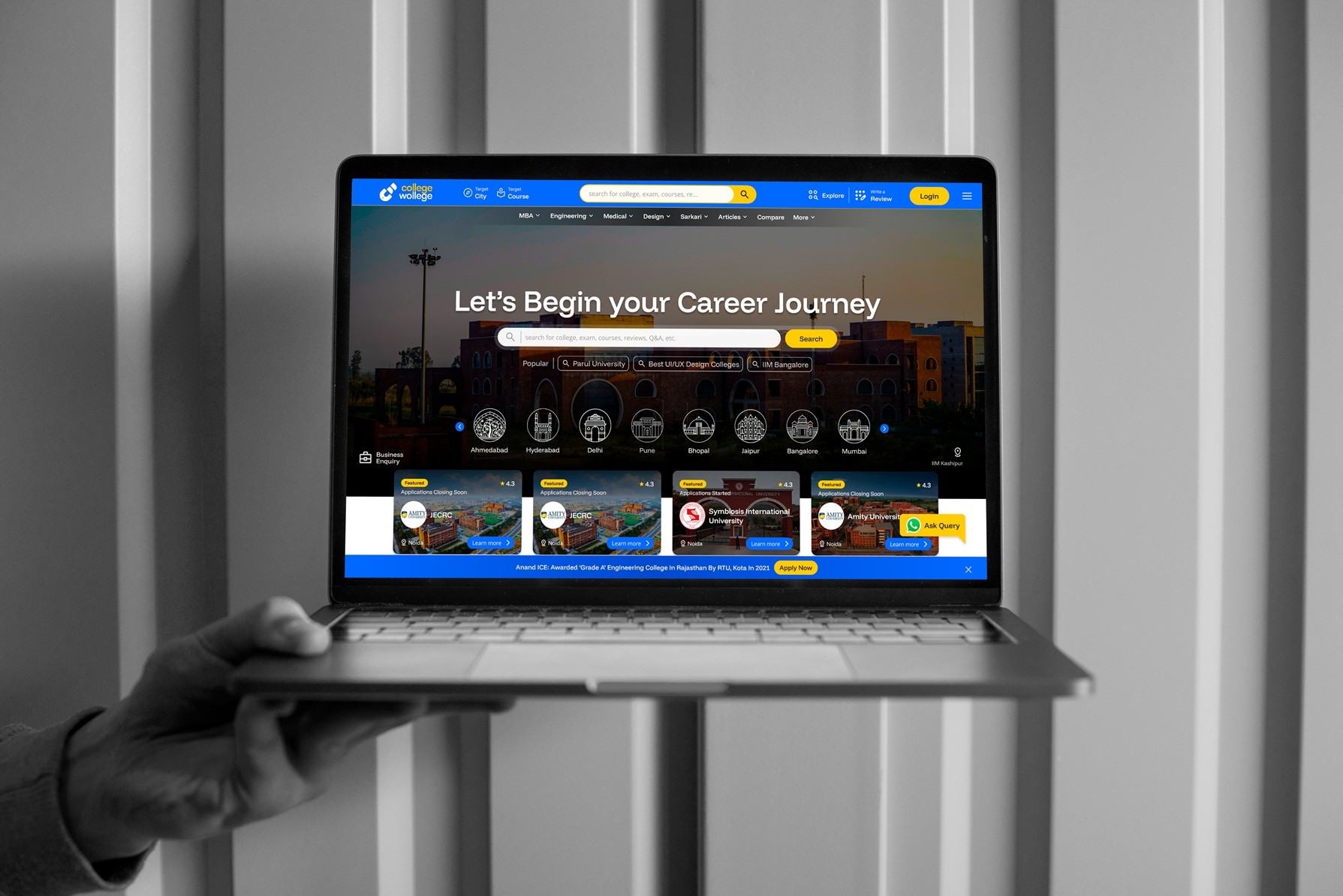
Collegewollege is a new college search engine built for students and parents in India. It is more than a simple directory of colleges. The product brings together several related services in one place. People can search for colleges and streams, read reviews, get counselling, find exam papers and preparation material, and connect with a wider community of students and parents.
The goal was to design a product that feels trustworthy, easy to use, and ready for a world where a lot of online content is now written by AI. This case study walks through how the project was approached, who it was built for, the main design decisions, and how each page was shaped to serve both the user and the business.
The project ran for about eight weeks. The scope covered seven unique pages, all of them fully responsive, a set of twenty five custom city icons, and product level strategy work that helped shape the features themselves.
The Brief
The brief was wide. Collegewollege wanted a search engine first, but one that could grow into a full platform. The product had to do many jobs at once. It had to help a nervous student find the right college. It had to help a busy parent compare options quickly. It had to host long articles and exam guides. And it had to earn money in a way that did not annoy the people using it.
Three clear deliverables came out of the brief. The first was seven unique pages that worked well on every screen size. The second was a collection of twenty five city icons that gave the product a local and friendly feel. The third was the strategy and feature thinking that sits behind any good product, the part that decides what should exist and why before any screen is drawn.
Understanding the Users
Good design starts with knowing who you are designing for. Two main user personas guided the work.
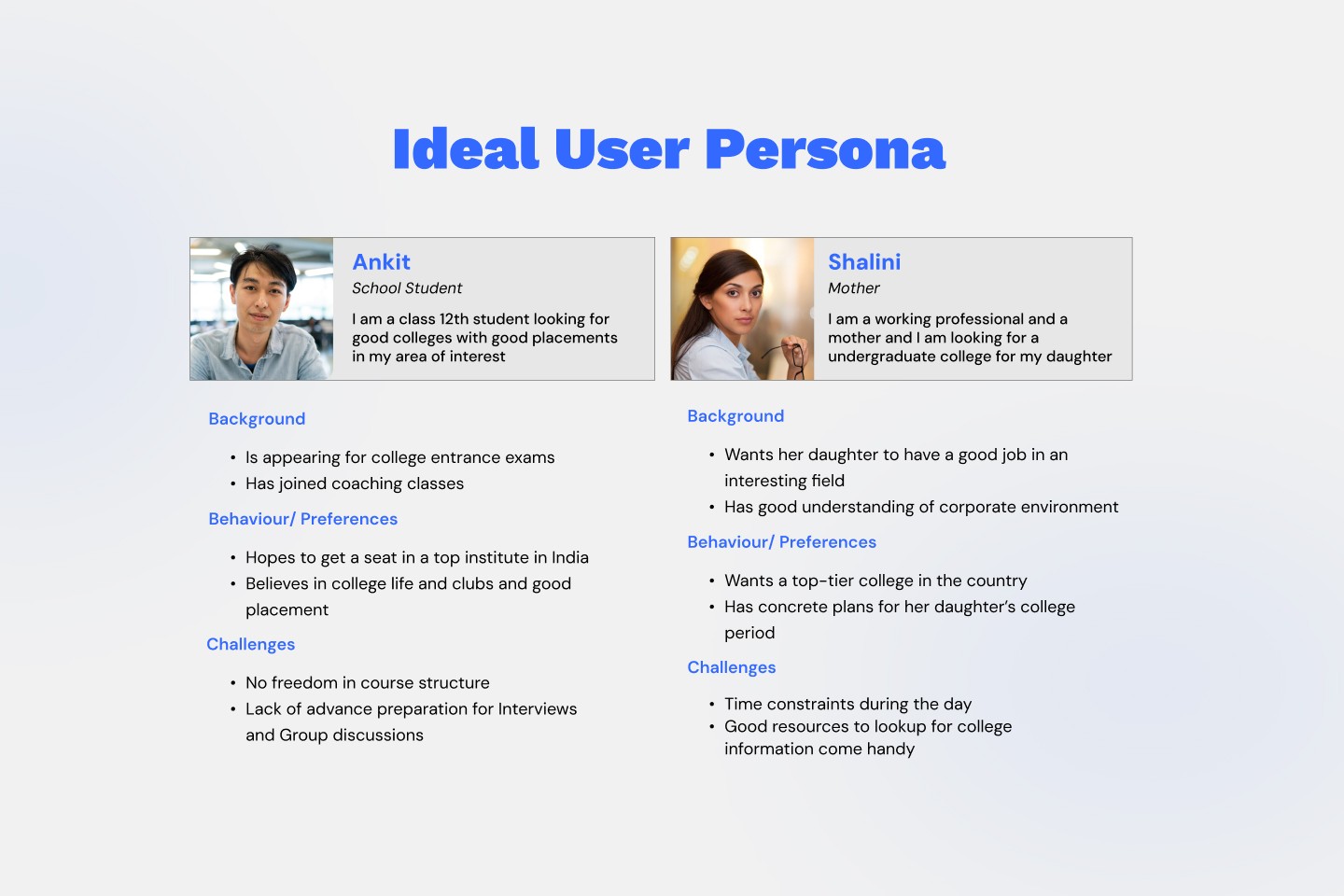
The first persona is Ankit, a class twelve student. He is appearing for college entrance exams and has already joined coaching classes. He hopes to get a seat in a top institute in India. He cares about college life, clubs, and good placements. His worries are real and specific. He feels there is little freedom in how courses are structured, and he is not sure how to prepare in advance for interviews and group discussions. Ankit is the student who is living the pressure of admissions right now.
The second persona is Shalini, a working professional and a mother. She is looking for an undergraduate college for her daughter. She wants her daughter to land a good job in an interesting field. Because she works in a corporate setting, she understands what employers look for. She wants a top tier college and she likes to plan ahead. Her main challenge is time. Her day is full, so she values resources that are quick to scan and easy to trust.
These two people are very different, but they share something important. Both want clear, reliable information without wasting time. The student needs guidance and confidence. The parent needs speed and proof. Every page in the product had to serve both kinds of need at once.
The Strategy Behind the Design
A few big ideas shaped the whole project. These were not just visual choices. They were decisions about how the product should behave and how it should make money.
The first idea was that account creation is the main business goal. A search engine is only valuable to the business if people sign up and come back. So the design keeps the login and sign up action visible at all times, placed clearly in the top corner of every page. The product gently encourages people to create an account without forcing them.
The second idea was that the search function is the heart of the product. Since Collegewollege is a search engine, search should never be hidden. The search bar lives in the header on every single page. On the home page it sits right in the middle of the first thing people see, which sends a clear message about what the product is for.
The third idea was credibility in the age of AI. Today a lot of online content is generated by machines, and readers have started to doubt what they read. Collegewollege answers this doubt directly. Articles carry a clear fact checked status and show who reviewed the content, along with their job title. This human stamp matters more than ever when AI written text is everywhere. The product turns trust into a visible feature rather than something users have to assume.
The fourth idea was that the design must scale. Instead of building each page from scratch, the design uses reusable components. Cards, headers, link blocks, rating tags, and update lists all repeat across pages in the same style. This makes the product faster to build, easier to maintain, and consistent to use.
The fifth idea was monetization without harm. A free product needs income. Rather than covering the site in random ads, the design builds in clear, honest paths to earn money. Featured sections hold sponsored colleges. Ad placeholders sit in sensible spots. Recommended links can be promoted. The money making parts are planned, not bolted on, so they feel like part of the experience.
Bringing the Brand and Product Together
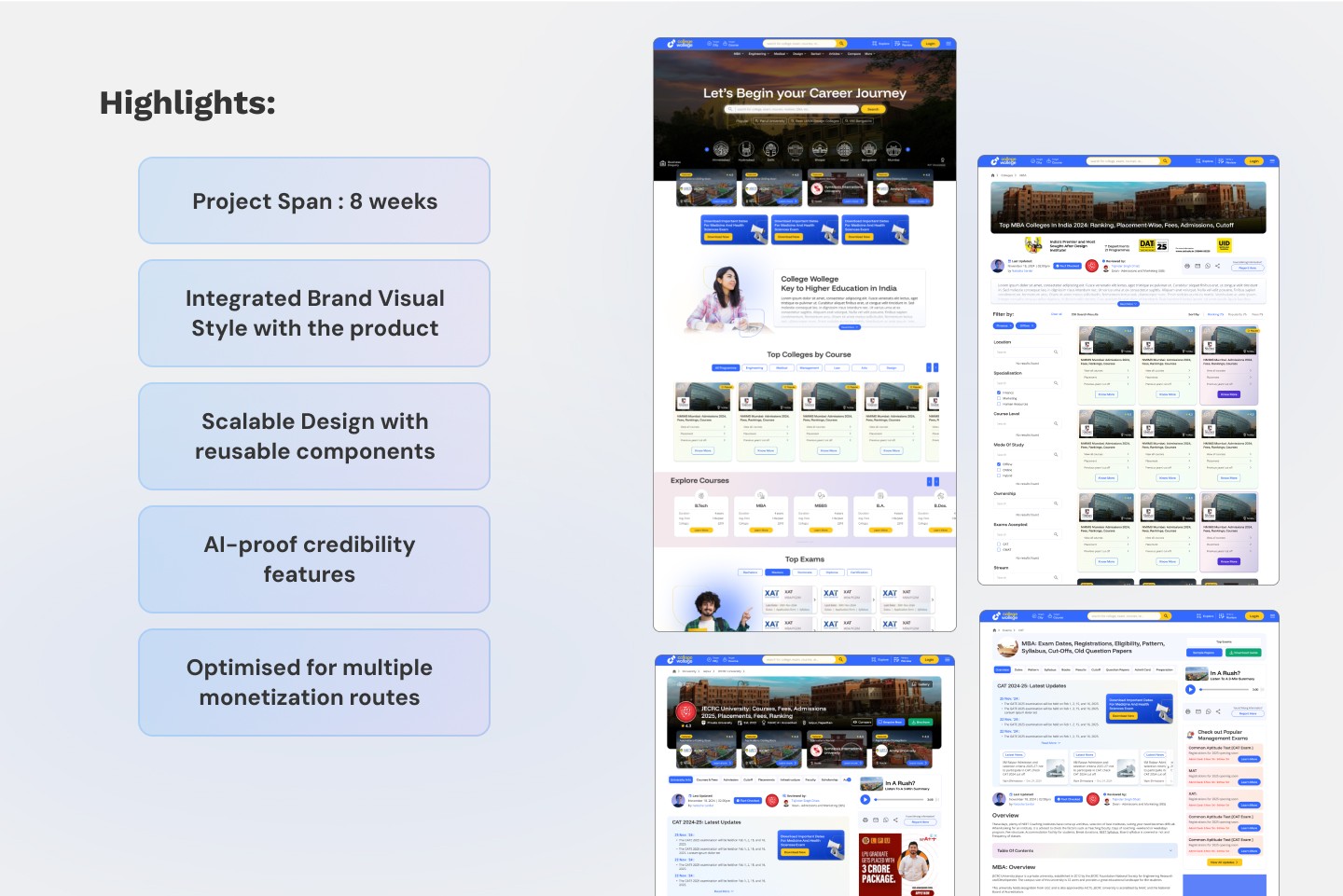
One of the project highlights was an integrated brand visual style. The brand colours, mainly a strong blue and a warm yellow, run through the entire product. The same friendly and bold look appears in the logo, the buttons, the headings, and the icons. This makes the product feel like one thing rather than a set of unrelated pages. The brand is not just a logo sitting in the corner. It is woven into how the whole product looks and feels.
The Home Page
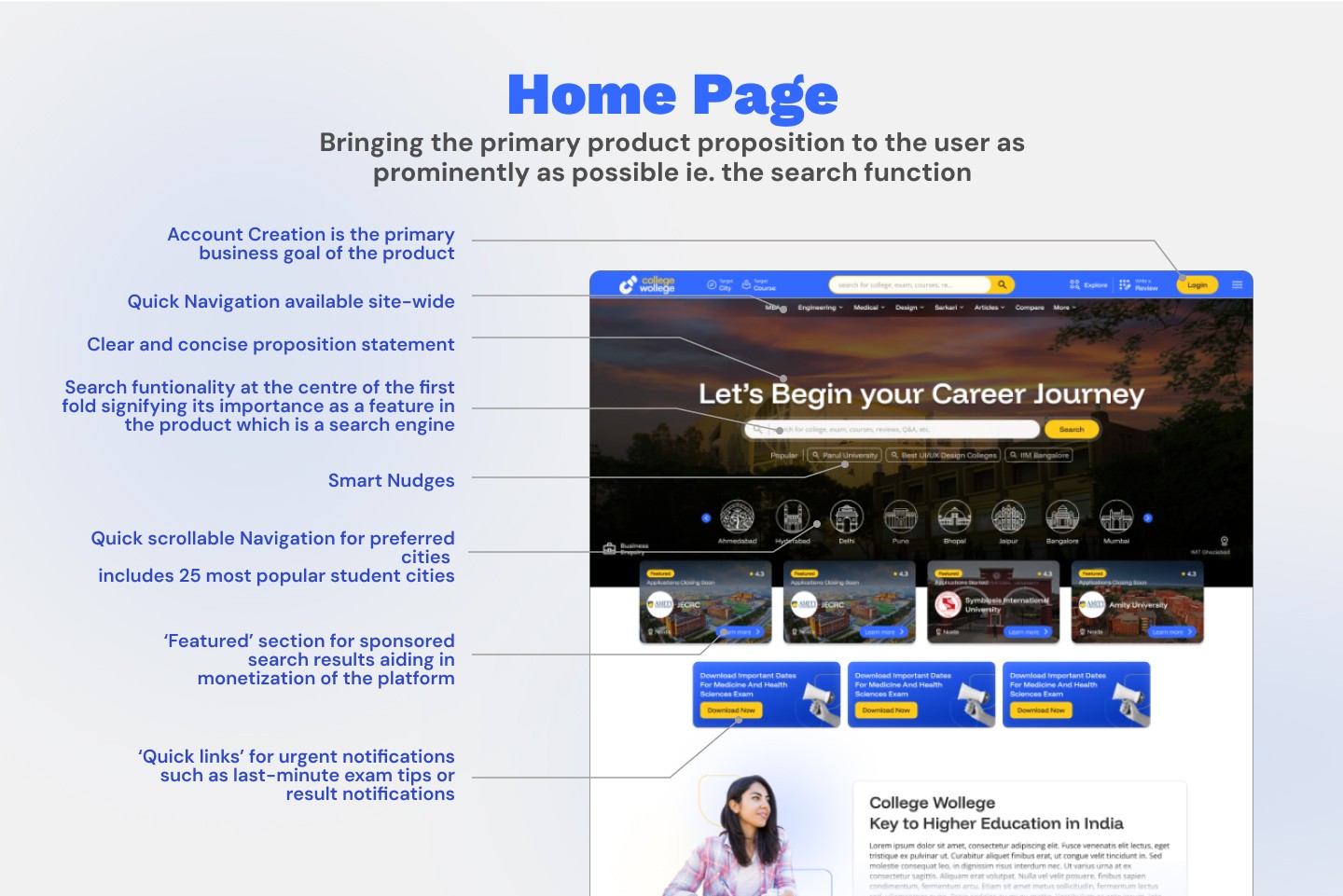
The home page carries the most weight because it sets the tone. Its job is to bring the main product idea to the user as plainly as possible, which is the search function.
At the very top sits the header with the logo, quick navigation that works across the whole site, and the login button in the corner. The proposition statement, "Let's Begin your Career Journey," appears in large text over a warm background image. It is short and clear, so people understand the purpose in a second.
Right below the headline is the search bar, placed in the centre of the first fold. This central placement is deliberate. It tells the user that searching is the most important thing they can do here. Below the search bar are smart nudges, small suggested searches like popular universities or design colleges, which help people who do not know exactly where to start.
Further down is a scrollable row of city icons covering the twenty five most popular student cities. This lets users jump straight to colleges in a city they care about. After that comes a featured section for sponsored search results. This is one of the monetization routes, and it is built into the layout in a clean way. There are also quick links for urgent notifications, such as last minute exam tips or result alerts, which give the page a sense of being current and useful.
The University Page
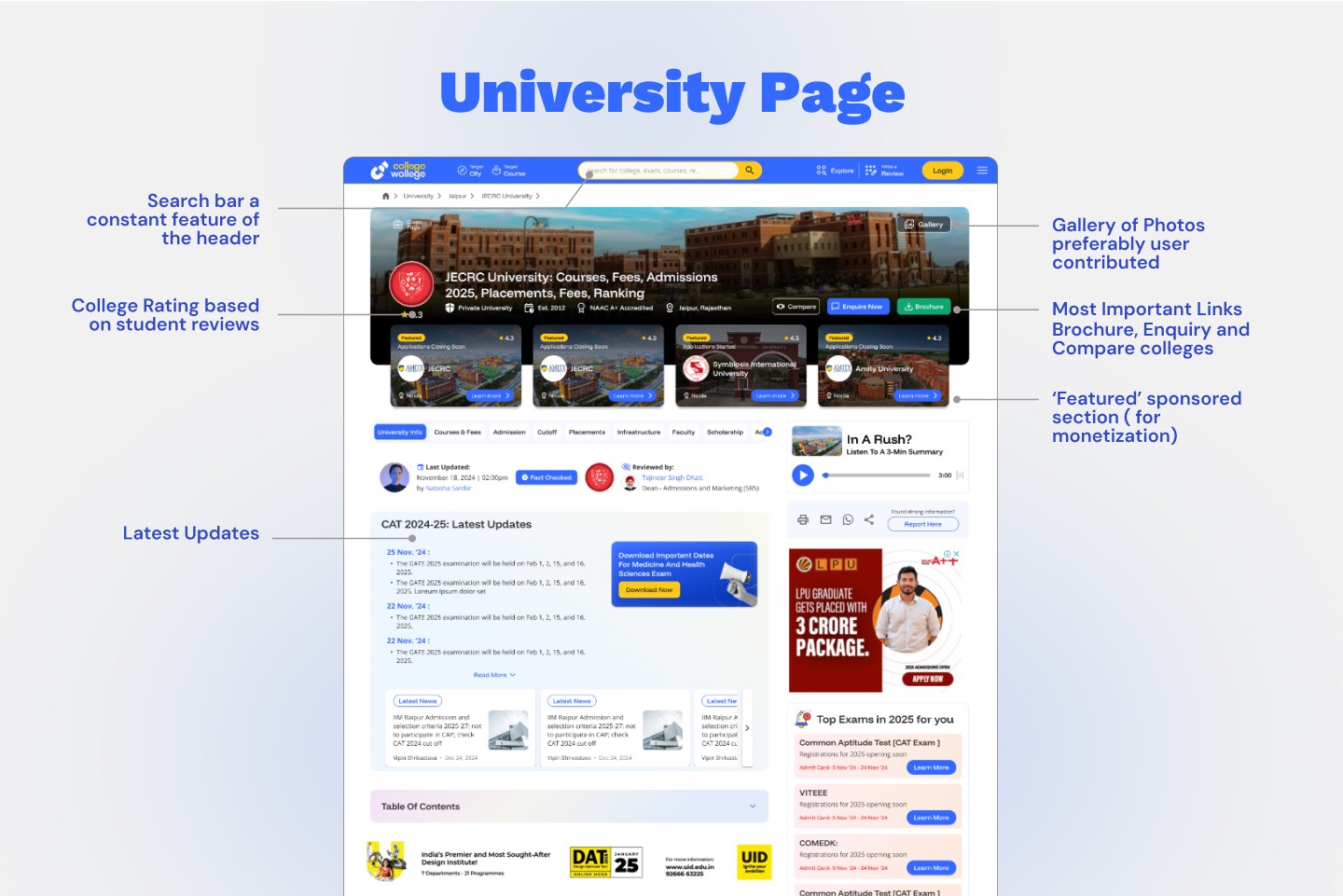
The university page is where a user lands when they want details about a specific college, such as JECRC University in the example. The header keeps the search bar in place, so people can search again without going back.
A large gallery image sits at the top, and the design notes that these photos are preferably user contributed. This builds community feeling and adds authentic images. Next to the college name is a rating based on student reviews, which gives quick social proof. The most important links, namely Brochure, Enquiry, and Compare, are placed where they are easy to find, because these are the actions a serious user will want.
The page also includes a featured sponsored section for monetization, a tabbed area covering courses, fees, admission, cutoffs, placements, and more, plus a latest updates block and an audio summary for people in a hurry. The fact checked and reviewed by stamps appear here too, keeping trust front and centre.
The Blog Article Page
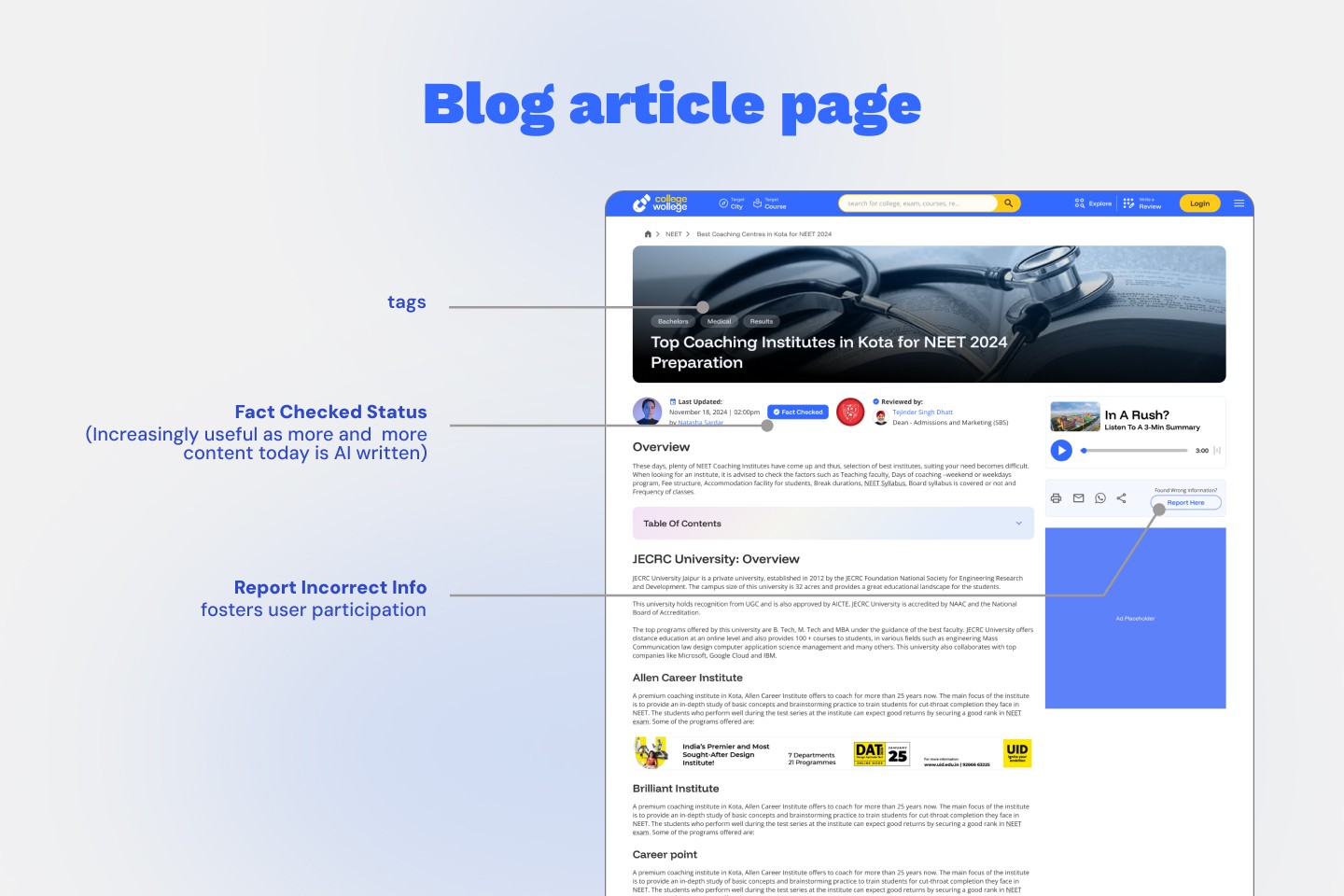
The blog article page is built for longer content, such as a guide to the top coaching institutes in a city. At the top are tags that show the topic categories, like bachelors, medical, or results. These help people understand the subject at a glance and find related content.
The most important part of this page is the fact checked status. Because so much content today is written by AI, showing that a real person checked the facts is a strong signal of quality. The page also shows who wrote and reviewed the piece. Below that is a report incorrect information button, which invites users to flag mistakes. This does two things. It improves accuracy over time, and it makes users feel involved, which builds a sense of community ownership.
The page keeps an audio summary option for quick listening and includes ad placeholders for income. A table of contents helps people navigate long articles without scrolling endlessly.
The Exam Details Page
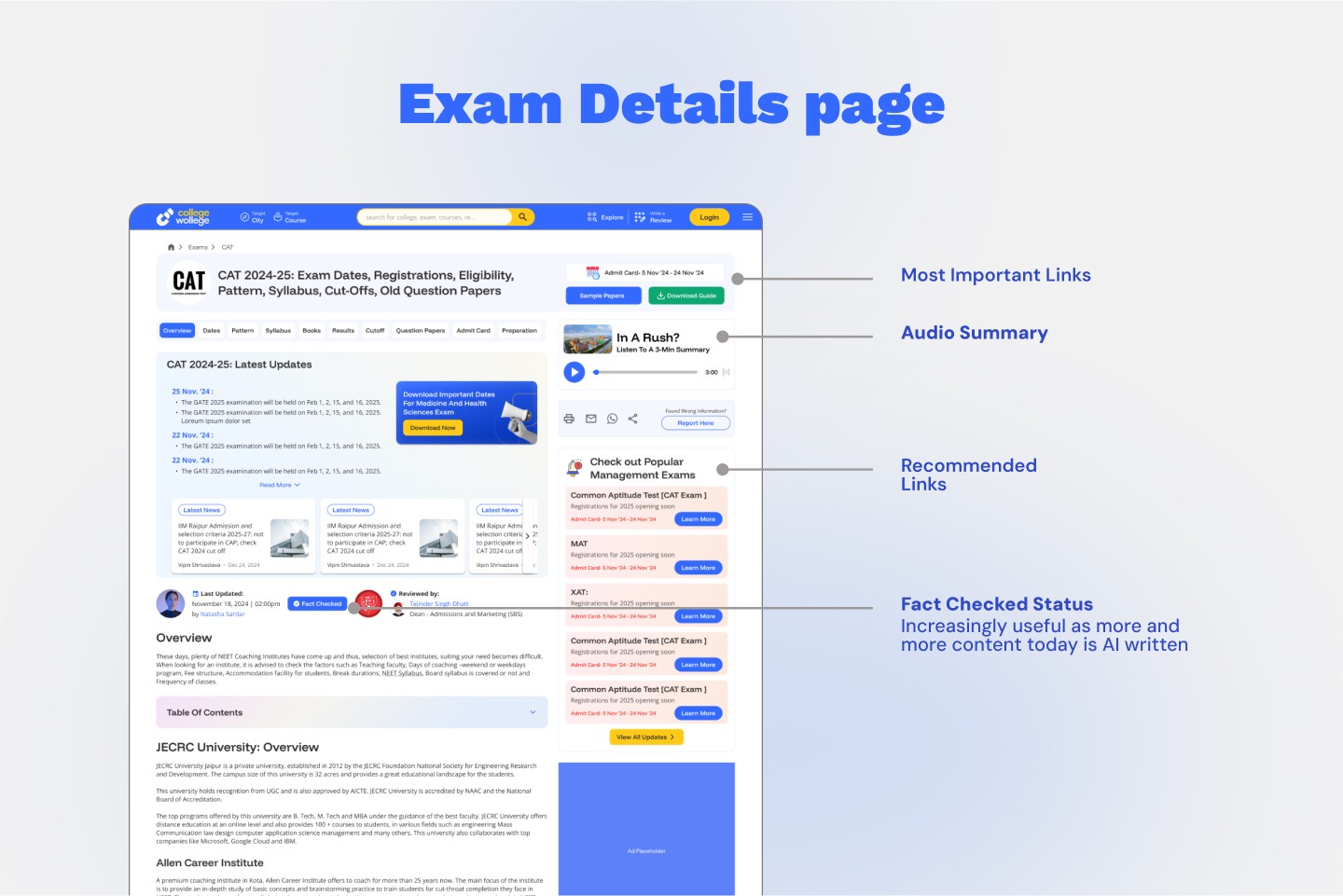
The exam details page, shown with the CAT exam as an example, packs a lot of information into a clear layout. At the top are the most important links, such as the admit card dates, sample papers, and a download guide. These are the things an exam taker needs first, so they get top billing.
An audio summary block lets users listen to a short version when they do not have time to read. On the side is a recommended links section that highlights other popular exams, which helps users explore more and also opens another route for promoted content. The page again carries the fact checked status, keeping the trust theme consistent across the product.
The City Icons
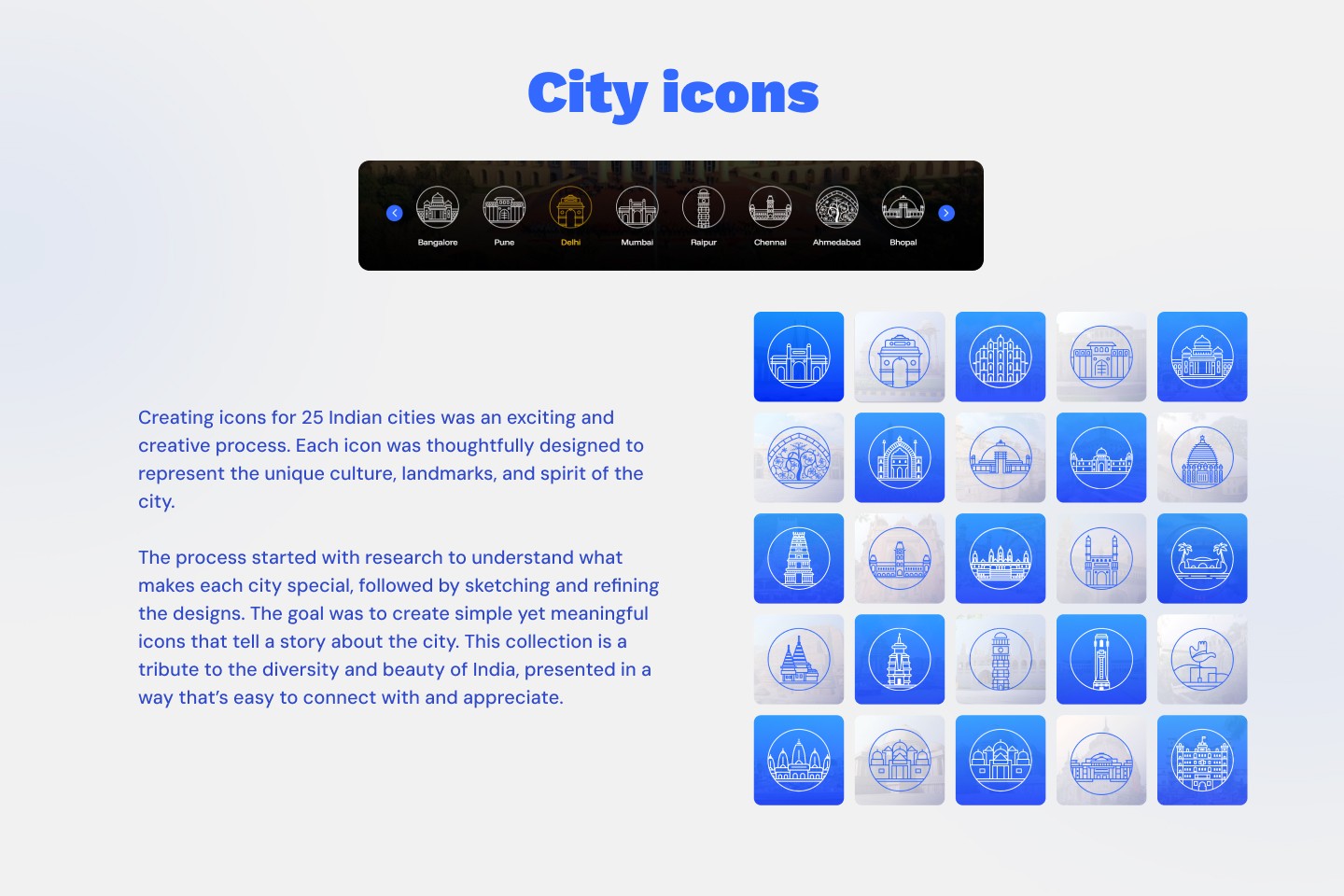
A special part of this project was the creation of twenty five city icons, one for each of the most popular student cities in India. Each icon was designed to capture the unique culture, landmarks, and spirit of its city.
The process began with research to understand what makes each city special. This was followed by sketching and then refining the designs. The aim was to keep the icons simple yet meaningful, so each one tells a small story about its city. The final collection works as a tribute to the diversity and beauty of India, shown in a way that is easy to connect with and enjoy.
These icons do more than decorate. They give the product a local identity, make navigation friendlier, and help users feel that Collegewollege understands the country it serves.
Project Highlights
A few results stand out from the eight week project. The brand visual style was fully integrated with the product, so everything feels like one connected experience. The design is scalable, built from reusable components that make future growth easier. The product includes AI proof credibility features, mainly the fact checked and reviewed by stamps, that answer a real and growing concern among readers. And the product is optimised for multiple monetization routes, including featured colleges, ad placements, and recommended links, all designed to fit naturally rather than disrupt.
Closing Thoughts
Collegewollege set out to be a college search engine that fits the moment we are in. Students and parents face a flood of information, much of it now machine made, and they need a place they can trust. This project tried to meet that need by putting search at the centre, by making trust visible, and by designing for the two very different people who use it, the anxious student and the busy parent.
The work balanced three things that often pull against each other. It served the user with clarity and speed. It served the business with sensible ways to earn money and a strong push toward account creation. And it served the brand with a consistent, friendly look across every page. By keeping these goals in view from the start, the design ended up being more than a set of screens. It became a clear product strategy expressed through design.